Firefox Needs Rosetta to Run
Recently, Apple users who’re streaming content from various popular OTTs like Prime Video, Hulu, Netflix, and Disney+ on Firefox have reported issues in their MacBook playback. This is because of the incompatibility issues, clarifies Mozilla now.
It said users who’re using Firefox v84 and later versions on MacBooks with M1 chips may see errors as below, classified based on OTT;
- Hulu : Can’t play title. We’re having trouble playing this video. Please try again later.
- Disney+ : Something went wrong. Please try again…Error Code 83
- Netflix : Pardon the interruption. We’re having trouble playing Netflix…Error code F7702-1003
- Amazon Prime : Video unavailable. We’re experiencing a problem playing this video…
These encounters are caused due to unsupportive Firefox browser for running these OTTs . It’s said, the old Firefox browser supports content streaming from these OTTs on MacBooks based on Intel processors. Thus, these Apple M1 based MacBooks need Rosetta 2 to support this content.
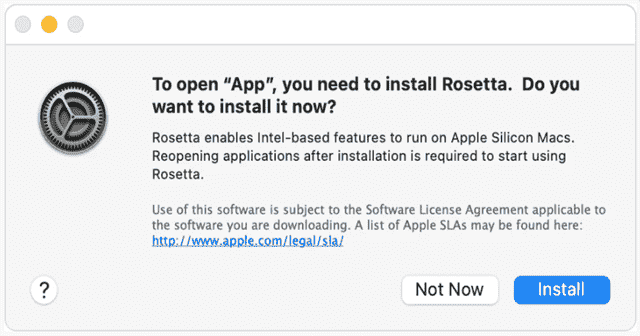
Users who’ve updated their Firefox browser to v84 should also install the Rosetta 2 to stream content without any errors. This additional software piece helps MacBooks to translate the content from supporting Intel to M1. Here’s how to do it;
How to Install Rosetta 2 in MacBooks?
- Open Terminal . For this, you can either go through Spotlight Search or the Finder > Applications > Utilities > Terminal.
- Now type a command as /usr/sbin/softwareupdate –install-rosetta for installing the Rosetta 2.
- A dialogue box opens up asking for permissions to proceed. Go on by pressing A and then Return.
That’s it. Users will then be able to steam OTTs without any interruption.
