Audible is the leading seller of spoken audio entertainment, information, and educational programming on the Internet. It sells digital, radio, and TV programs and audio versions of magazines and newspapers. However, Audible has recently hiked up its services’ prices, so people are looking for ways to easily cancel their Subscriptions.
Generally, the procedure of cancellation of canceling an Audible subscription is easy, but you can’t do it on the mobile app. To do so, you have to use the web version of Audible. Many users don’t know about this, but Audible provides a simple option to cancel Audible services easily.
Why Cancel the Audible Subscription?
It mostly depends on the user; most users take a free subscription to try their audiobook services. So, users check their services with a free trial. But if you don’t cancel the Audible subscription, it will add up to your credit card bills after the trial period.
Steps to Cancel Audible Subscription Using a Web Browser:-
To cancel an Audible subscription, you must log in and cancel the account from the computer. You can use your mobile if you don’t have a computer.
Steps To Cancel Audible Subscription in Web Browser:–
1.) Open a web browser like Chrome or Firefox, and go to Audible ‘s official site. This method will work on Android and iOS as we use a web browser.
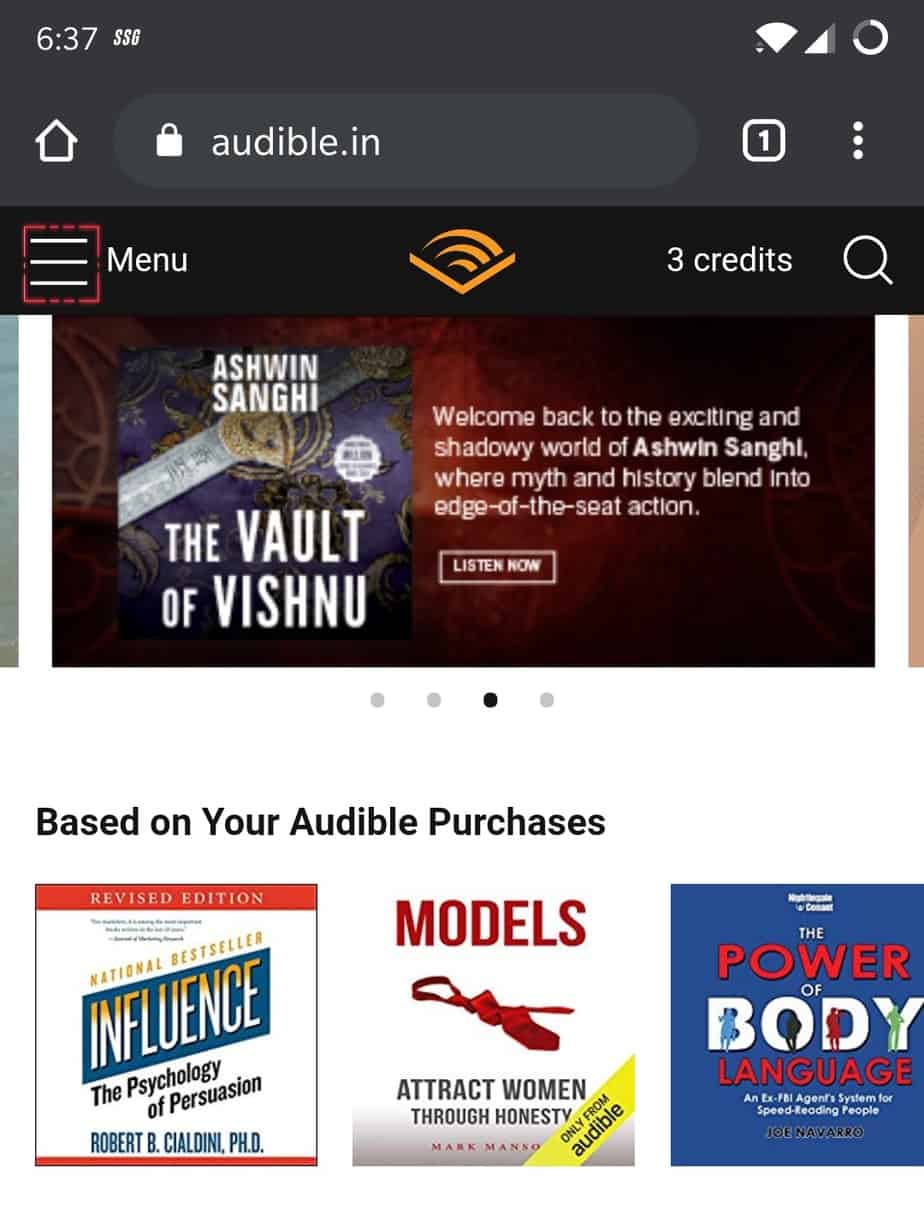
2.) Click on the hamburger icon at the top left of the webpage of the Audible homepage.
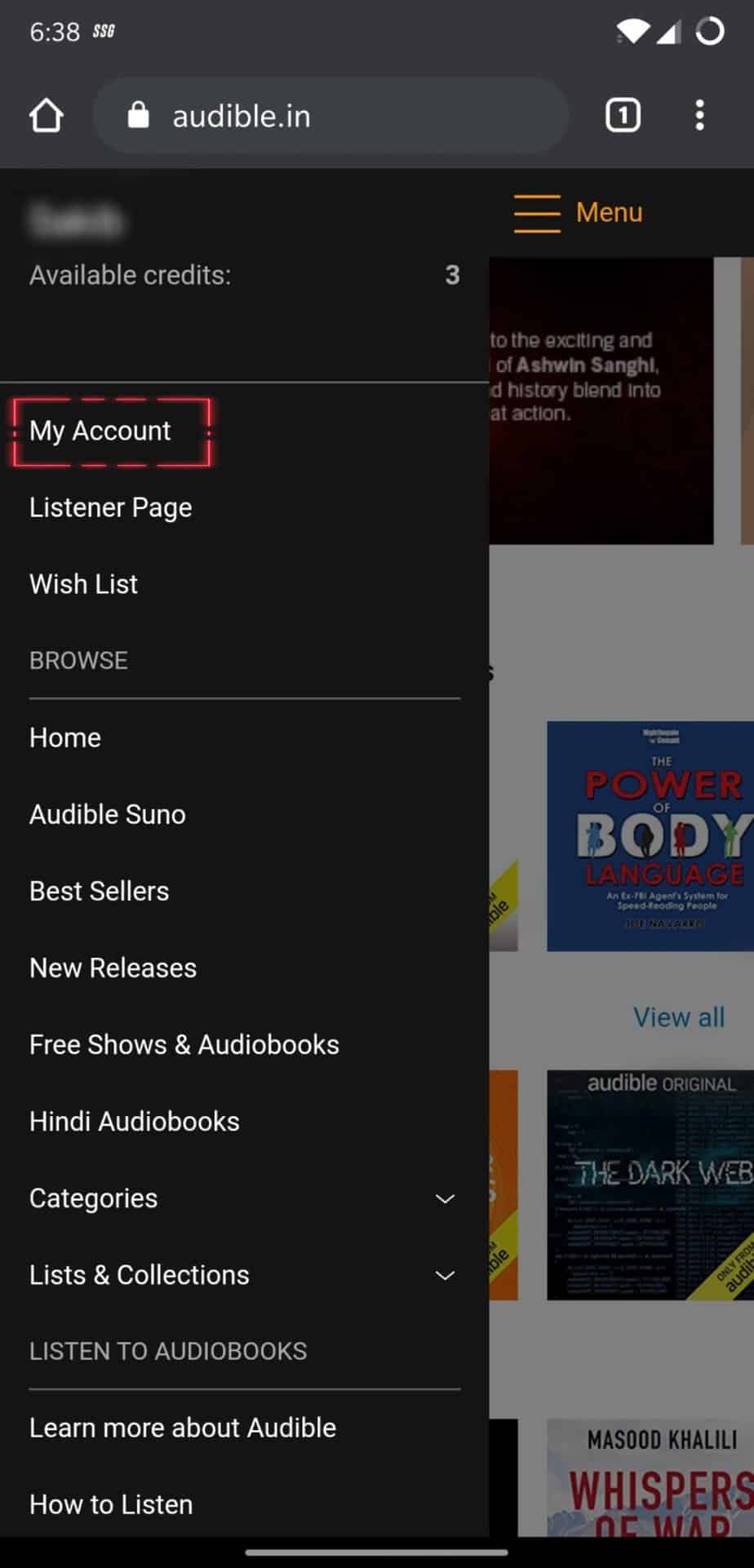
3.) Now click on “My Account.” This will redirect you to the Account’s Details menu; here, you can modify every aspect of your account, like changing your Credit card details, address, and Purchase history.
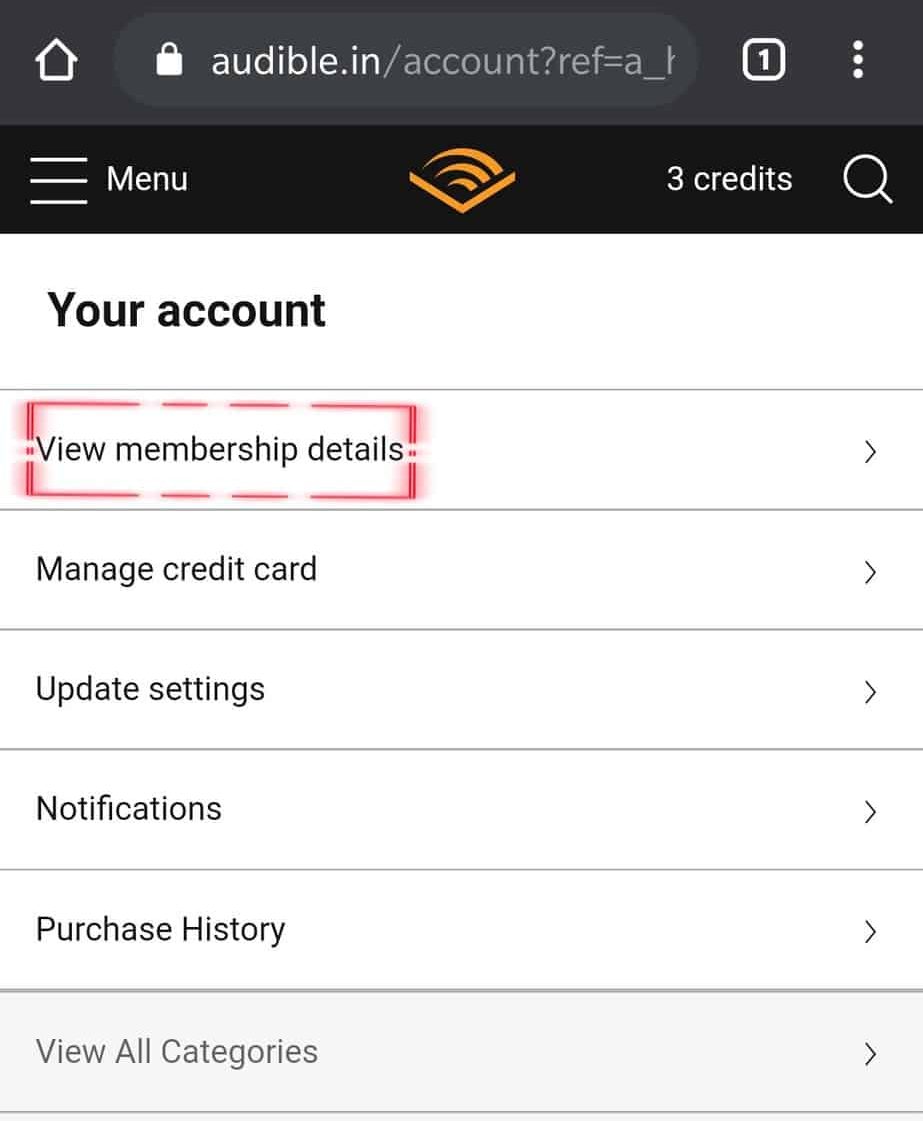
4.) Just click on View Membership details; this will redirect you to the subscription plan page.
5.) The subscription plan page will open up, but you will not see any cancel membership option. Here is the catch click on the three vertical dot icon on the top right corner of the Audible membership page as officially you can only cancel the subscription on the computer.
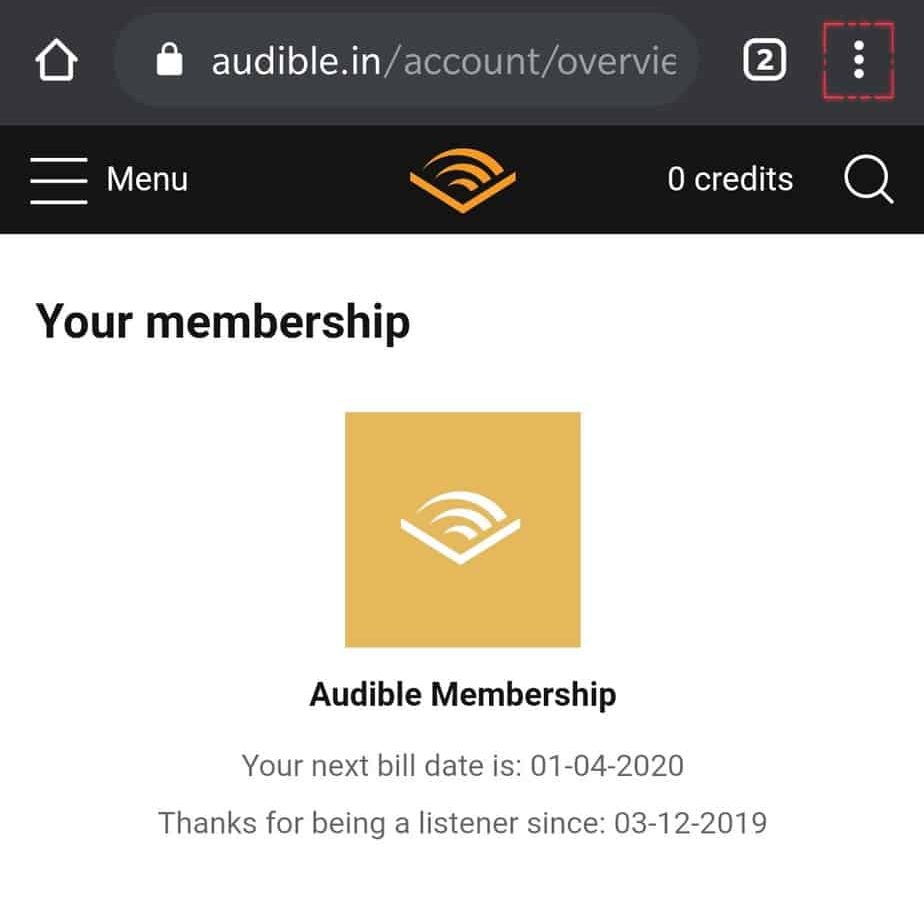
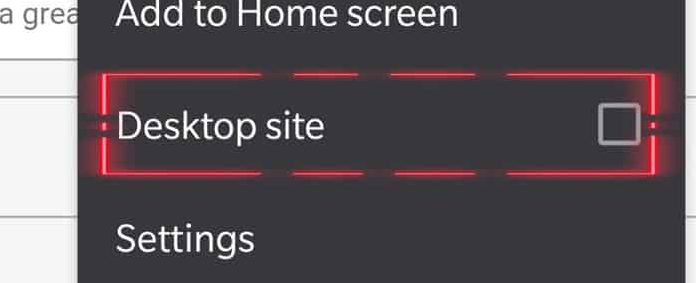
6.) After following the above steps, click on the “ Desktop site “ in the browser options.
7.) The Audible membership page will reload into the desktop version of the Audible membership page, and you will see something like this on your screen.
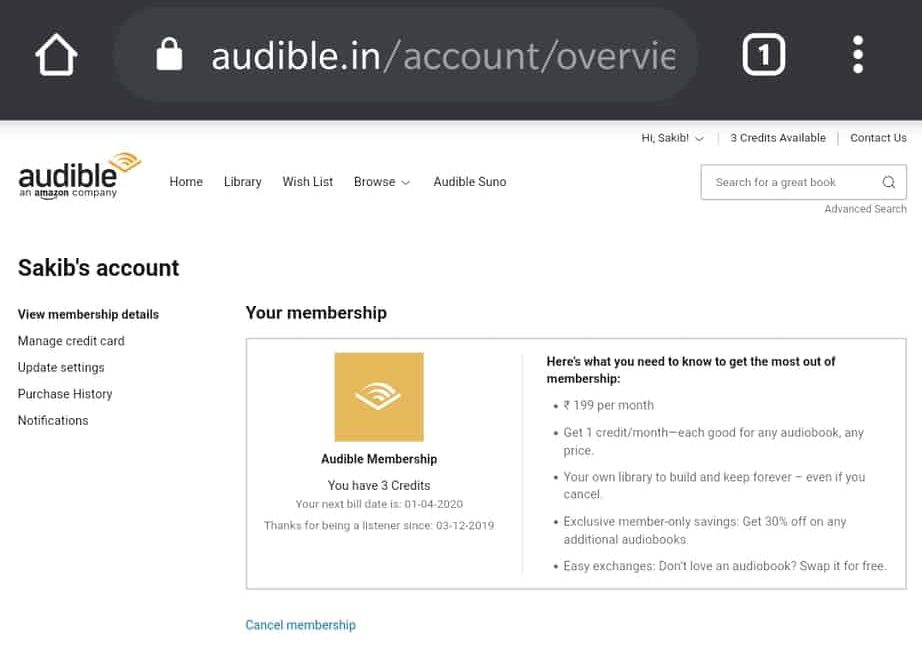
8.) Click on the cancel membership option, Shown below.
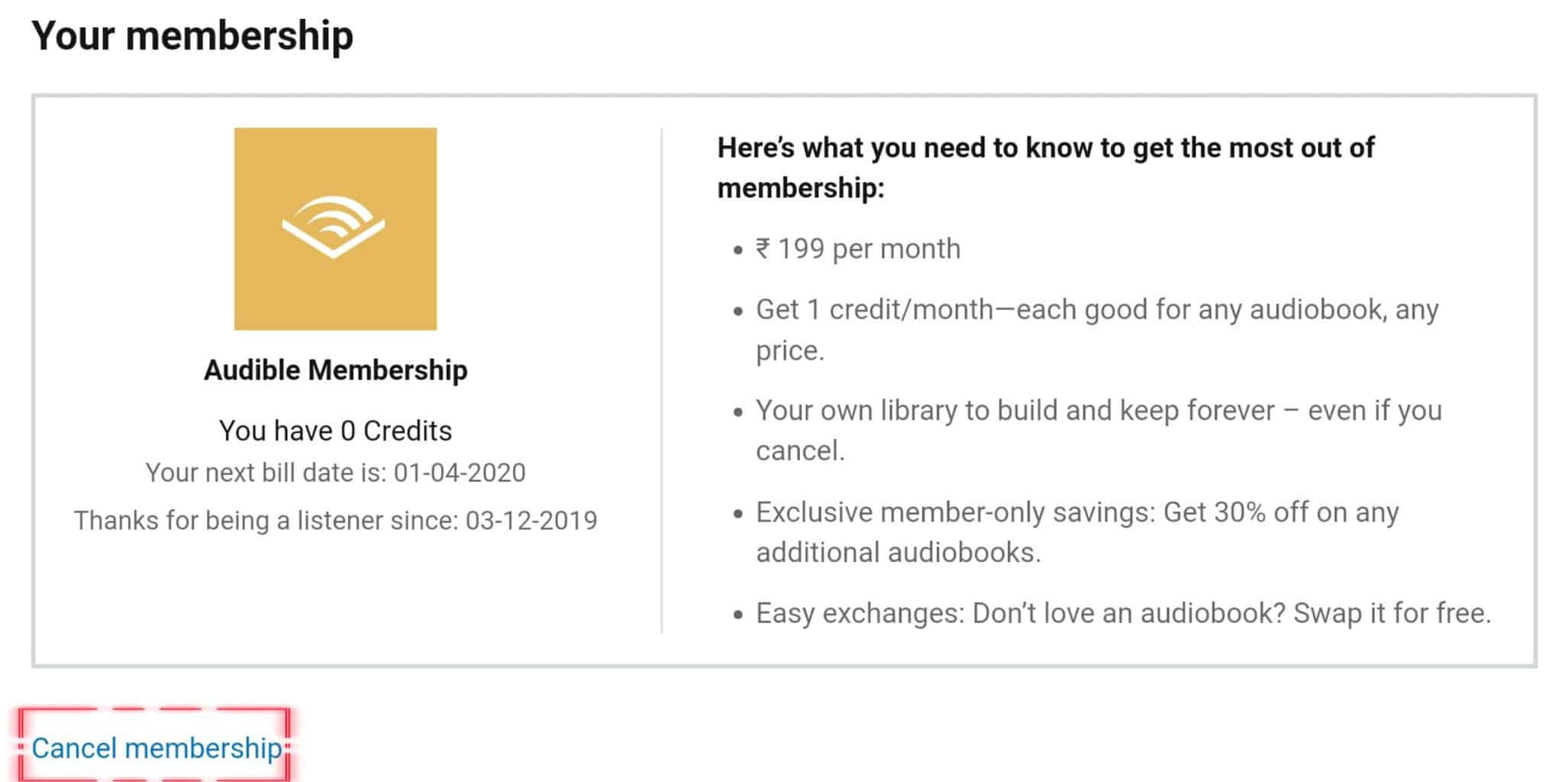
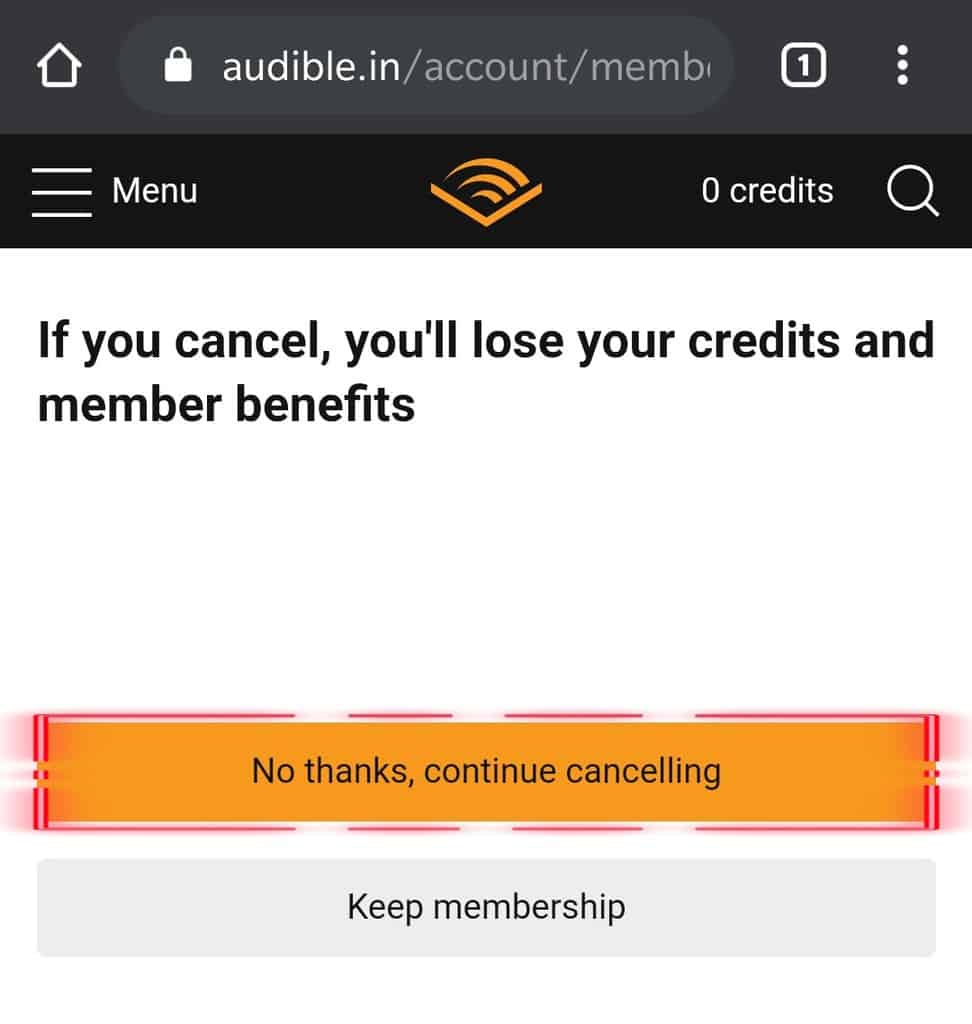
9.) After following the above steps, you will see a message on the screen that states, “if you cancel, you’ll lose your credits” proceed to the next page by tapping “ No Thanks, continue canceling. “
“This was the final Step.” Well done! You’ve successfully canceled your Audible membership, although you can join again whenever you change your mind.
Steps to Cancel Audible Subscription from App:-
The Customer Service Executives are amazing. They are very responsive and even offer many deals and discounts to keep you as a member. Following the above steps will take about minutes to complete.
From Editor’s Desk
Most Companies will ask for ID, a copy of their will, and more. Contact their team and provide the required information to request cancellation. And they will delete the account from their end.
