Hard drive cloning software is essential as it allows copying all data on a hard drive, including system files. This software prevents enterprises from losing their precious data and costly operating systems.
If you are looking for software to back up your OS, you are in the right place. Many paid and unpaid software programs are available for this purpose. We have mentioned some of them in our list.
But before choosing an excellent hard disk cloning tool, you must consider some crucial points. For example, the software must copy all data from hard drives, including hidden and uneditable system files.
Next, it can also restore drive images directly to hard drives and automate the installation of a drive image onto a hard drive. Finally, one drive can be used to clone images on numerous drives. The software mentioned below is the best hard drive cloning software.
Also Read- Best Free Log File Viewer Software For Windows
List of Best Hard Disk Cloning Software in 2025
1. O&O Disk Image
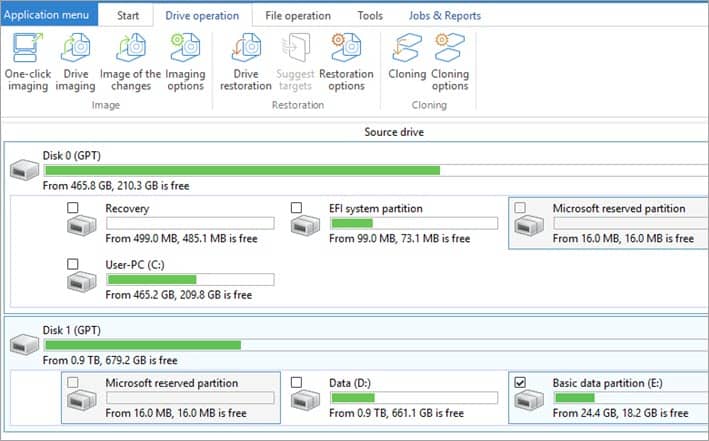
It is a disc cloning tool that helps you back up your whole computer system or a specific file. The best part of O&O DiskImage is that you can back up files even while using your computer, and it will not affect your ongoing tasks. For example, the software lets you restore your last personal data even if your Windows operating system is not starting.
You can store your backup on a computer with different hardware. The software is easy to use and offers a secure medium to clone your PC’s hard disk.
Compatibility: Windows
Price: Paid
Download
2. AOMEI Backupper
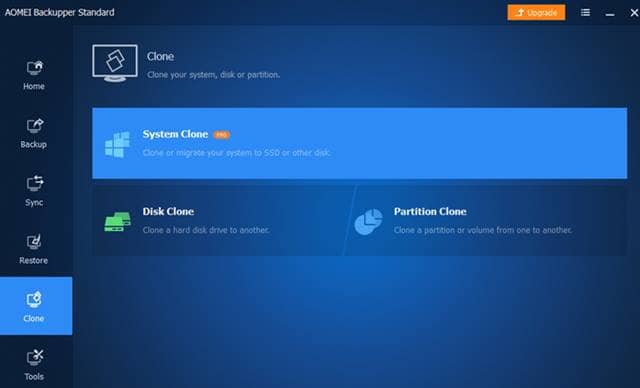
Most popular disk cloning tools are used to copy Windows and Mac systems without rebooting. AOMEI Backupper silently backs up your files in the background without bothering your essential task. You can also select a single file to back it up without copying your internal hard drive.
The software offers dual protection, including backup on a local drive and uploading to the cloud. The cloud facility also allows you to register your data even if your current operating system is not loading.
Compatibility: Windows 10, 8.1/8, 7
Price: Free and Paid
Download
3. MiniTool Partition Wizard
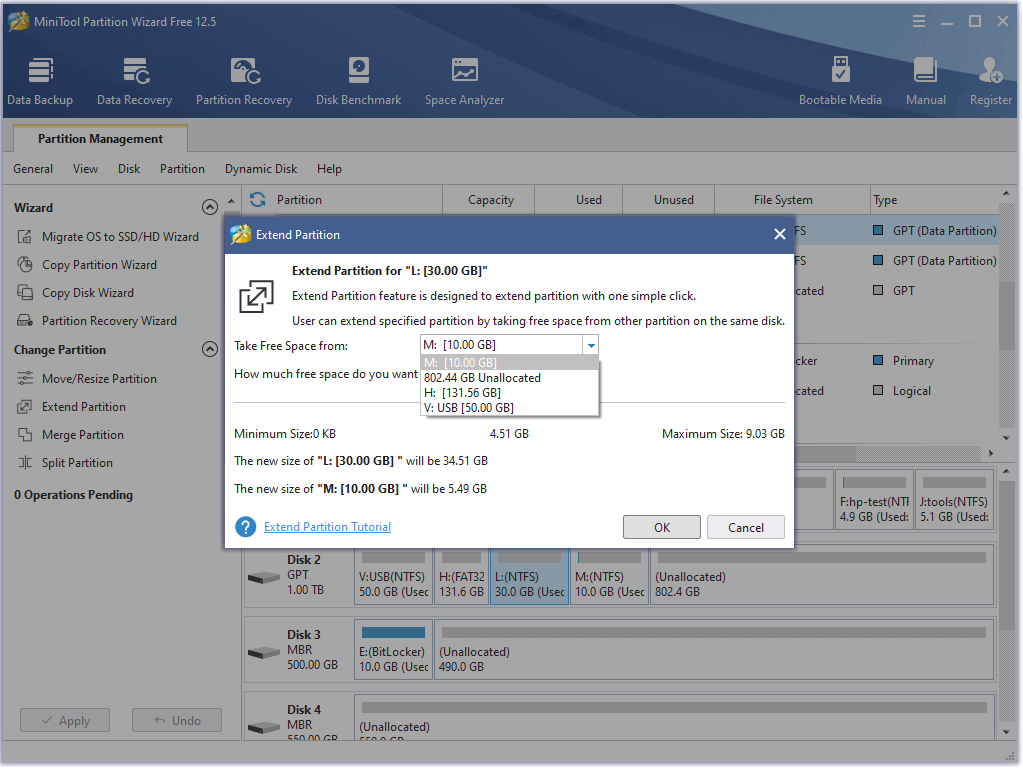
It is another useful hard disk cloning tool for Windows. The software is famous for its easy-to-use interface that can back up your data in just one click. Moreover, Mini Tool supports full, incremental, and differential backup for the Windows operating system.
The data recovery process is also easy; you can quickly do it in an emergency. The software provides multiple recovery mediums, including RAID, USB, and NAS.
Compatibility: Windows
Price: Free and Paid
Download
4. Macrium Software
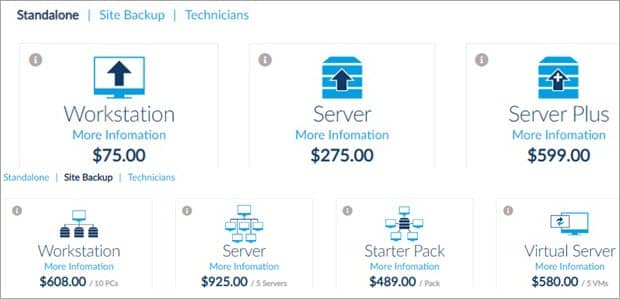
If you own an enterprise and want a professional-level backup platform, Macrium Software will be your perfect choice. The software lets you instantly back up computers to compress disk image files for easy access and re-installation. In addition, the live imaging function ensures that your disk images are updated.
In addition, Hyper-V’s virtualization support lets you boot backup images with Microsoft Hyper-V virtual machines. Macrium Software’s only drawback is its high price.
Compatibility: Windows
Price: Free and Paid
Download
5. Clonezilla
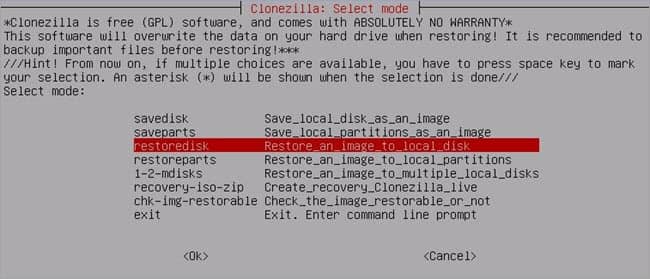
Partition and disk imaging program that lets you do system deployment, bare metal backup, and recovery. The supported storage devices in Clonezilla include HDD, SDD, USB, CD, DVD, Blueray, etc. The software is easy to use, as all the supported settings are available on the main menu.
Moreover, the support team behind Clonezilla will help you throughout the backup and recovery process so you don’t get confused. There are several download options for Clonezilla, each serving a different purpose.
Compatibility: Linux, Mac, and Windows
Price: Free
Download
6. EaseUS Todo Backup
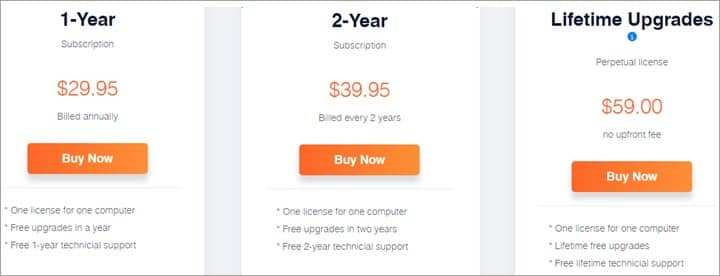
EaseUSTool is a unique software that clones hard disks by creating a highly compressed image. The software copies your computer data locally and automatically backs them to cloud storage. As a result, it becomes easy for you to access them whenever you want.
Another promising aspect of EaseUSTool is that it supports various databases and virtual services. You can back up databases such as Oracle, MySQL, MariaDB, etc.
Compatibility: Windows and Mac
Price: Free and Paid
Download
7. Acronis
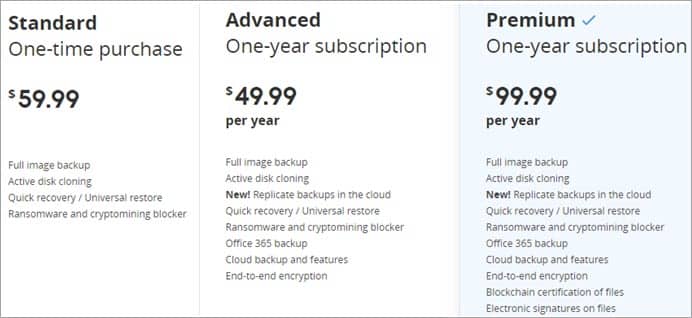
Acronis is another hard drive cloning software you can trust to secure your data. It offers easy backup and migration of operating systems from one device to another. In addition, it has a Wizard facility to assist the users in restoring data.
Compatibility: Windows and Mac
Price: Free and Paid
Download
8. Paragon Hard Disk Manager
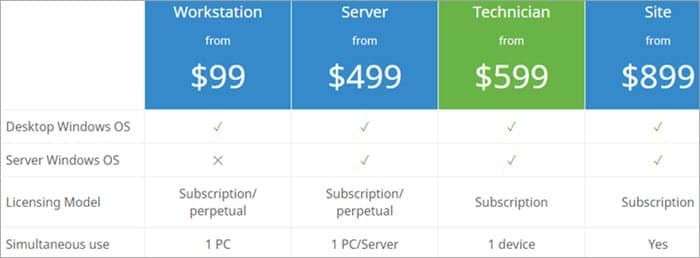
Recently, Paragon Hard Disk Manager software has grown in popularity for performing sector and file-level backups on computers. The software lets you back up and restores the entire disk or a single partition. You can recover your file quickly with just a click if you change your device.
Compatibility: Windows, Mac, Linux and Android
Price: Free and Paid
Download
