Gboard stands for Google Keyboard, and it’s the default keyboard that comes with all Android devices. The Gboard offers many features and makes typing easy. You can use text-to-speech options plus tons of different features.
While the Google Keyboard is top-rated, it’s one of the best keyboards for Android devices . However, there are other keyboards you can use as an alternative to Gboard; these keyboards all have cool features.
In this article, we’ve curated the best Gboard alternatives for Android. If you’re planning on using a different keyboard on your Android smartphone, the best keyboard apps are listed below.
1. Typewise Custom Keyboard
The Gboard app is known for allowing users to type faster. Typewise offers 4x the speed of Google Keyboard. This keyboard offers a faster way to type, and it does come with tons of great features.
The Typewise Custom Keyboard comes with customizable gesture typing. You can apply different themes to style the keypad’s appearance. The keyboard auto-corrects perfectly, and it supports multiple languages.
A nice keyboard that can replace Gboard is the Typewise Custom Keyboard. It has many features and is lightweight, which you’ll love.
Get it Now
2. Grammarly Keyboard
Typing gets better with Grammarly Keyboard. Aside from being a grammar checker, the keyboard has a simple user interface—one that lets you type very fast, autocorrects, and enhances vocabulary.
Replacing Gboard on your Android device shouldn’t be a tough choice if you want to improve your typing skills. With a keyboard like Grammarly , you’ll be able to type faster.
One of the key features of Grammarly Keyboard is that it corrects punctuation, it works with most apps, and it can be integrated with apps like email and social media apps.
Get It Now
3. Yandex Keyboard
Improving one’s typing experience is the core feature of the Yandex Keyboard. You’re looking at a very popular keyboard app for Android users. Packed with many features, you can gesture type and use voice input. It also supports multiple languages.
Yandex Keyboard makes typing easy. Anytime you misspell, the keyboard will autocorrect. It predicts words easily. Keypads can be customized and support emojis and GIFs.
Yandex Keyboard is the perfect keyboard for your Android device. It receives steady updates most of the time, and you don’t have to worry about a poor user experience.
Get It Now
4. Kika Keyboard
Being one of the best emoji keyboards, the Kika Keyboard is very popular. There’s no doubt about this keyboard’s emoji database. There are other great features you can explore on Kika.
Kika Keyboard is one of the best Gboard alternatives for Android devices. It offers a way to type faster, and it supports different keyboard layouts. You can also use different GIFs.
One of the top-rated keyboards on the Google Play Store is the Kika Keyboard; you can type better with this keyboard.
Get It Now
5. ai.type Keyboard
A keyboard app that lets you customize and personalize your keyboard the way you want it is AI.type Keyboard. This keyboard is outstanding. It’ll monitor your style of typing, adapt to it, and make typing very easy for you anytime you want to type words.
AI.type Keyboard does come with outstanding features. It supports emojis, and you can customize appearances as well. You can use voice narration for faster typing. The keyboard is light in nature, and it’s one of the best out there.
Get It Now
6. Chrooma Keyboard
Color adaptability is one of the reasons why you’ll love using Chrooma. Anytime you launch an app like WhatsApp or Facebook and you want to type, Chrooma Keyboard will instantly change its appearance to the color of that app.

Aside from adapting to theme colors, this keyboard supports multilingual typing. You can use gesture typing; it has a variety of emojis, and you can type better using the night mode feature. One of the best Gboard alternatives out there that’ll let you type better and enjoy different emojis is Chrooma Keyboard.
Get It Now
7. Classic Big Keyboard
You’ll love Classic Big Keyboard because you can type words on a bigger keypad. You can increase the keypad size from small to big and vice versa. Getting the perfect typing preference with Classic Big Keyboard is something Gboard often lacks.
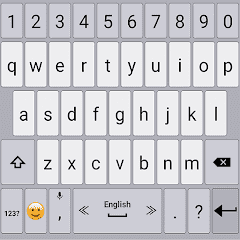
You can do gesture typing and use any features you’ll find on the most popular keyboard apps for Android, and this is one of the best apps like Google Keyboard. Classic Big Keyboard supports gesture typing, you can apply themes, increase font sizes on keypads, and it supports speech-to-text features.
Get It Now
Conclusion
Getting the best keyboard apps to replace Gboard on Android shouldn’t be a difficult task. With the handpicked best apps like Gboard that we’ve recommended above, it becomes easy. These apps are the best Gboad alternatives for Android devices. Using any of these keyboards will let you type faster.
